
What players say
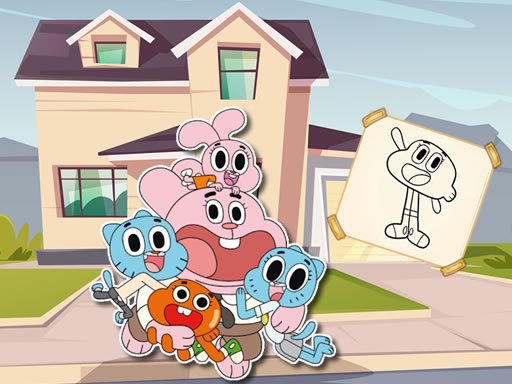
Colorful Gumball Arcade Puzzle offers a wonderful creative outlet for children. The simple tap-to-fill controls make it accessible for young players. The variety of pictures and bright color palette encourage imagination. The gentle time-based scoring adds a fun challenge without stress. It is a perfect family-friendly activity that promotes relaxation and artistic expression.
About this game
Game Introduction
Colorful Gumball Arcade Puzzle is a creative and relaxing puzzle experience designed for children and families. Players explore a colorful universe where the main objective is to complete coloring pages featuring charming scenes. The game combines the joy of coloring with a gentle time-based scoring element, encouraging self-expression and imagination. It offers a safe environment that is easy to access instantly without any downloads or sign-ups, making it perfect for young artists looking for a fun and calming activity. The game is inspired by the Gumball world and provides a variety of pictures to color.
How to Play
Playing is simple and intuitive. First, select one of the available pictures from the main menu. Then, choose a color from the palette using your mouse or touch screen. Click or tap on any area of the picture to fill it with the selected color. The game automatically fills the region, making it easy for beginners. Work as quickly as you can to improve your score, but you can undo or redo any step if needed. Once you finish, you can save your colored image to your device to share with friends or keep as a keepsake. The controls are designed so that even first-time players can enjoy the process without frustration.
Game Features
This game includes a variety of pictures to color, each featuring different scenes from the Gumball universe. A wide palette of bright colors is available to bring each image to life. A speed-based scoring system adds a gentle challenge to the relaxing activity. Undo and redo buttons allow for easy corrections. There is a save option to keep your artwork. No downloads or sign-ups are required, and the game uses simple mouse or touch controls suitable for children.
Tips for Success
To get the best score, try to color each picture as quickly as possible while still being careful. Use the undo feature if you make a mistake, and experiment with different color combinations. Practice on simpler pictures first to get comfortable with the controls. Taking your time to enjoy the process can also be rewarding, as the game is meant to be a calm, creative break. Sharing your finished artwork with family and friends can add to the fun.





Player comments
Sign in to comment
You must be logged in before posting a review or rating.
No account? Create one
No comments yet. Be the first to comment!